Live Inventories
Staff permission
inventory.view, inventory.edit
What you see
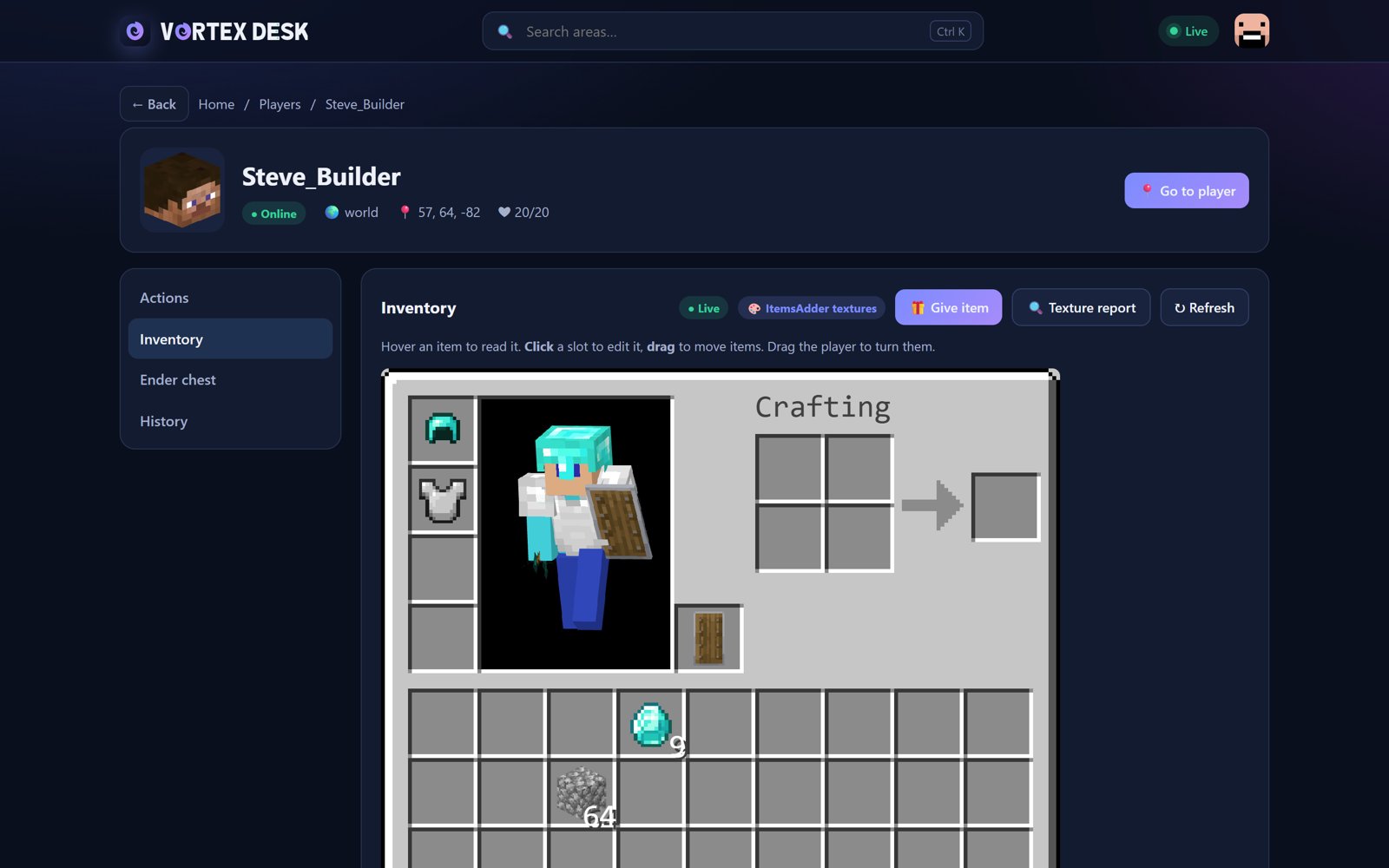
- The real Minecraft inventory screen: armour, off-hand, hotbar (held slot highlighted) and ender chest.
- A 3D player with their skin, armour (dyed leather too) and items in both hands. Drag to rotate.
- Live pose: sneaking, sprinting, crawling, swimming, elytra and sleeping are copied within a second.
- Custom textures from your resource pack — see Custom Textures.
What you can do
| Action | How |
|---|---|
| Read an item | Hover for the in-game tooltip (names, lore, enchantments, durability) |
| Edit | Click a slot → item, amount, name, lore, enchantments |
| Move | Drag an item to another slot |
| Give |  Give item — offline players get it on their next join |
| Texture report |  Explains why any item looks different from in-game |